Categories
Books

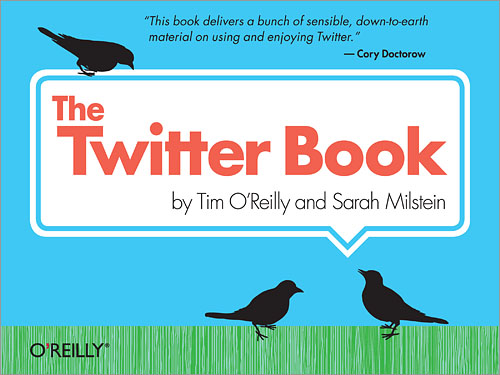
The Twitter Book

Just finished reading The Twitter Book app for my iPhone. This was the first book that I had ever read on my iPhone, and overall I was very much impressed with it.

The book itself was great, and more than up to the high standards I expect from an O’Reilly book. It does an excellent job of detailing what Twitter is, why it’s grown so much in such a short period of time, and most importantly how best to make it work for you. Very easy to read, with many examples which conveniently are linked to the web since this version is digital and an app on my iPhone.

The app itself was very easy to use and reading on it was rather natural. I figured the screen might be too small or too dim, but it really wasn’t that much different than reading from print. Navigation was easy and natural. A bug plus for me was that I was able to just read at times I didn’t expect I’d be able to since my iPhone is always with me.

My only complaints with reading on my iPhone vs a traditional book were that it was a little tricky to jump around the book when compared to dealing with paper. Also, many of the illustrations were difficult to read as well.

Overall this was a great read and reading it on the iPhone turned out to be better than I had expected and would read more books this way. If you’re looking to learn more about Twitter I highly recommend, and if you have an iPhone you might want to give the app version a try too.

Categories
Development

Google App Engine

I’ve finally gotten around to messing around with the Google App Engine over the weekend. It allows you to run web applications on Google’s infrastructure for free as long as you don’t go over roughly 5 million page views in a month. If your app has the good problem of going over that traffic then you’re billed by usage.

Currently only Python and Java are the supported languages. I’ve been interested in dabbling with Python a bit more than I have, and building an app on this platform has given the excuse I need to try it out.

Getting started is fairly easy. Sign up for an account at the Google App Engine site. Then download the SDK for your OS. Leopard already has Python 2.5 installed, so I didn’t have to install or upgrade that.

There’s an amazing getting started guide available for building a simple Python app. It’s one of the better tutorials I’ve done in a while, even if you’re not proficient with Python it’s easy to follow along.

Using the datastore to work with data vs. a relational database seemed strange at first, but it’s very easy to work with. The GQL can be very similar to working with SQL.

I’ve got a couple of ideas I’ll like to try building, and this seems like a great platform to build on.

Categories
Development

YQL is my new BFF

YQL

YQL, Yahoo’s SQL-like language that provides straightforward ways to mash up different APIs into one data source for use in applications has been around for a few months now. In that time I’ve found it to be extremely useful and easy to work with in numerous projects. However,  the service got 10 ninjas better last week they added the ability to insert, update and delete to the service as well.

In just a few minutes I was able to take an existing news app that I had created in the past and using the YQL service had it sending out tweets to Twitter as well as including a shortened URL courtesy of the bit.ly API.

Just feed the following Twitter status update to the YQL Console and it’ll create the REST query that you can use in your script:

use 'http://www.yqlblog.net/samples/twitter.status.xml';
insert into twitter.status (status,username,password)
values ("Playing with INSERT UPDATE and DELETE in YQL", "twitterusername","twitterpassword")
Categories
Uncategorized

My Mom-mom

Sadly my grandmother passed away on Sunday morning. She was the best grandmother to my brothers and we’ll miss her very very much. What I’ll remember most about her is the fun we had when she would baby sit us when we were little.

Growing up my brothers and I had a number of baby sitters who refused to babysit again (looking back there should be no shame for not returning), but she always seemed to have such a good time with us. Whether it was the time we destroyed the kitchen trying to make cupcakes, or tying her to the couch when she dozed off for just a few minutes, to flooding the bathroom floor just for fun that she would later slip on (so sorry for that one mom-mom), she would never got angry at us or tell our parents how bad we behaved on that given night.

Wow, actually now that I’m writing this I’m remembering so much more good stuff we did with her. She was cool enough to play with us and our Star Wars and G.I. Joe toys. How many grandmoms knew how cool Boba Fet was? She’d take us to the mall all the time, to Collector’s Cabin to buy Jose Canseco rookie cards, read nursery rhymes to us from the ancient book nursery rhyme book we had, and look for gold bug hidden in the other book too (gold bug was like Waldo, but a golden bug). Oh, and also sewing on strawberry cartons or paper plates (sounds weird, but it was fun stuff).

And she and my grandfather bought me the Mac LC which was the coolest gift that I’ve ever gotten to this day. Probably the biggest reason why I do what I do for a living today.

We really had a lot of good times with her and that will certainly be missed, but not forgotten. Oh and her apple tarts that she would always bake for us were awesome too.

Categories
Development

bit.ly API

With the 140 character limit that comes with developing a Twitter app, I needing a URL shortening service with a simple, easy to use API. Conveniently the bit.ly API works great if you are looking for s simple URL shortener for dynamic use.

Just had to sign up a free account, then spent a few minutes reading over the bit.ly API documentation. Just send a simple REST request and you get a simple JSON response. Doesn’t really get much simpler than that. An XML response is also available as well.

Very cool API and one that worked perfectly for the task at hand.

Categories
Development

Yahoo! Term Extraction Web Service

Just finished up using one of my favorite and what seems to be little well known web service, the Term Extraction from the folks a Yahoo! You feed it some content and it returns a list of significant words from the content. This simple service can be incredibly useful.

For instance I recently used this service to scan an article on a site and using the words that it returns, as tags to pull relevant photos from Flickr to go along with the article. So in this case I used it to pull tags from a body of text, very cool. You can also use YQL to make calls to it as well.